

Digital analytics is not that easy anymore. Users switch devices. Tracking is limited by privacy regulations. Conventional tools have difficulties in bridging the entire process.
Here, what is GA4 comes into play. Version 4 of Google Analytics is not an update of the old Analytics. It is a brand new system. It is more user-centered, rather than traffic-oriented.
This guide will help you learn how GA4 operates, why it was created and how it is unlike the predecessors.
What is GA4?
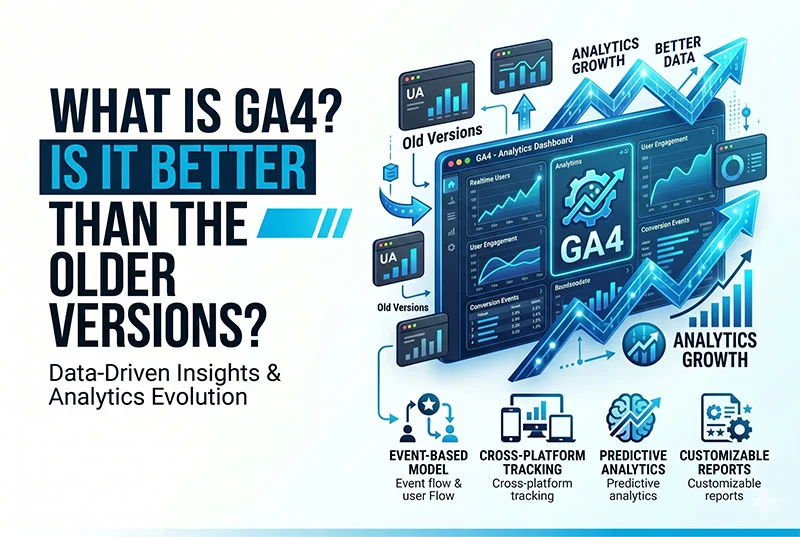
Google has developed GA4, a platform that is an events-based analytics system. It follows GA4 is a complex analytics tool created by Google that enables monitoring user activity on both websites and applications in a single manner. GA4 does not use session-based tracking, as opposed to the old versions. Rather, it works on an event-based model, in which each user interaction, like a click or a scroll, is recorded separately.
This change enables businesses to see how users interact with content in real-life and not the number of pages they are visiting. Previously used analytics tools were session-based and tended to provide few insights into actual behavior. GA4 eliminates the limitation by tracing the whole user path between devices.
Consequently, it gives actionable and more insightful information and is therefore more effective than the older versions of analytics.
GA4 Data Model Explained
GA4 is founded on an event-based model. This implies that all interactions with users are recorded as an event rather than being aggregated into a session as in older systems.
Parameters can be involved in every event. These provide context, e.g., product name, value, or action taken. GA4 also leverages user properties as a method of defining user properties, such as location or device. The combination of these features forms a more complex and adaptable data format.
Events in GA4 are of four key types:
- Automatically gathered events: Page views are automatically tracked.
- Improved measurement events: Scrolls and clicks aren’t difficult to monitor.
- Recommended events: Standard events, depending on a typical application example such as purchases or sign-ups.
- Custom events: Completely custom tracking according to your business.
- Automatically gathered events: Page views are automatically tracked.
This is more flexible than Universal Analytics. You do not have to adhere to predetermined tracking. You are able to quantify what is important.
Key Features That Make GA4 Powerful
GA4 is not meant to be just basic reporting. It is dedicated to insights and decision-making.
Cross-platform tracking is one of the key characteristics. You are able to analyze both website and app data. This provides an overview of the user experience.
Predictive metrics can also be found in GA4. It relies on machine learning to predict user behavior, including purchase likelihood or churn risk.
Key features include:
- Funnel exploration and path analysis: Learn the flow of user movement and the points of user drop-offs.
- DebugView: Check and test tracking in real-time.
- BigQuery integration: Get access to the raw data to analyze it further.
- AI intelligence: Automation of trends and unusual changes.
These are the aspects that render GA4 more strategic. It assists you in taking data collection to data-driven decisions.
What is the difference between GA4 and Universal Analytics
The following is a comparison in detail:
| Feature | Universal Analytics | GA4 |
|---|---|---|
| Data model | Session-based | Event-based |
| Tracking method | Pageviews and sessions | Events and parameters |
| Cross-device tracking | Limited | Advanced |
| Privacy compliance | Basic | Strong and future-ready |
| Bounce rate | Available | Replaced by engagement rate |
| AI insights | Minimal | Built-in predictive analytics |
| Funnels | Basic | Advanced and flexible |
| BigQuery access | Paid version only | Free integration |
| BigQuery access | Paid version only | Free integration |
| Custom tracking | Limited flexibility | Highly customizable |
When To Use GA4 (Use Cases)
GA4 operates with various kinds of businesses.
- In the case of e-commerce, it follows the whole process of purchase. You are able to evaluate product performance and consumer behavior.
- In the case of lead generation, it follows up on form submissions and user activity. This assists in the enhancement of conversion rates.
- In the case of SaaS businesses, it monitors user activity in the product. This assists in the comprehension of retention and churn.
- In the case of content websites, it monitors the content consumption by the user. You are able to discover what makes users engaged.
GA4 is flexible to various business models. It is its strength.
Conclusion
It is no longer a choice to understand what is GA4. Any business that depends on data-driven decisions cannot do without it. The change is complicated, yet the prospect is gigantic. Those businesses that are early adopters have a definite advantage. In Ramyatech, our professionals make this transition easier. We assist in establishing proper tracking, identifying meaningful events, and gaining actionable insights. You do not make guesses but make decisions supported by actual data. This is the way sustainable growth is developed.
FAQs
Is GA4 difficult for beginners to learn?
GA4 is a model that has a learning curve since it is event-based. It is not like the older analytics tools. Nevertheless, it is easier to use and more powerful when you know what is going on and what parameters.
Does GA4 use cookies to track its users?
GA4 is not based solely on cookies. It contains various techniques such as User ID, Google signals and tracking by devices. This renders it more precise, and privacy-oriented in a future-oriented setting.
Is GA4 applicable to both websites and apps?
Yes, GA4 does have cross-platform tracking. Both websites and apps can be monitored in the same property. This assists you in knowing the entire user experience on various devices.